
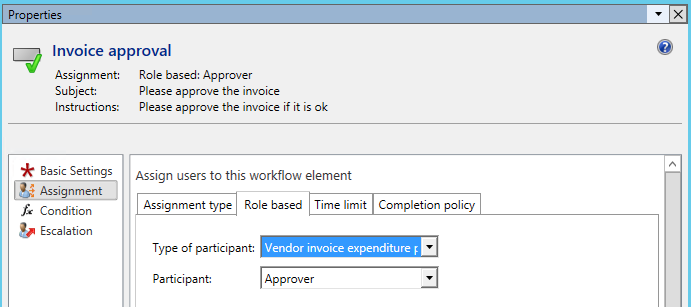
In the previous posts, the responsible for approving the vendor invoice was identified by the approver expenditure reviewer group, which was specified in the approval workflow step. For details, please see the next screen-print.
While the previously used setup allows the identification of a single invoice approver, it does not help much in companies that make use of hierarchical signing limits.
How hierarchical signing limits can be incorporated into the invoice workflow will consequently be investigated in this post.
The next screen prints show the changes that have been made to the workflow setup in order to get the hierarchical signing limits incorporated.
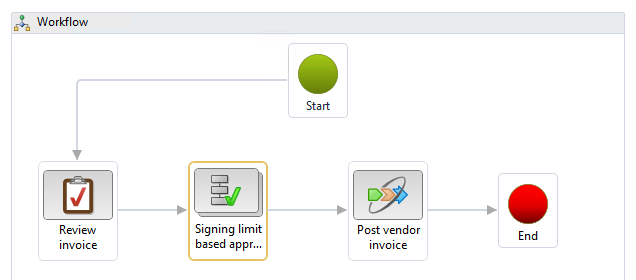
For that purpose, the second workflow step (singing limit based approval) has been changed and does no longer refer to the assignment type participant but rather to the assignment type hierarchy, as exemplified in the next illustration.
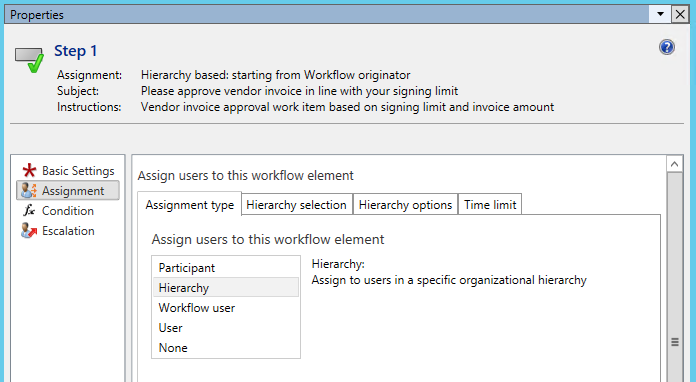
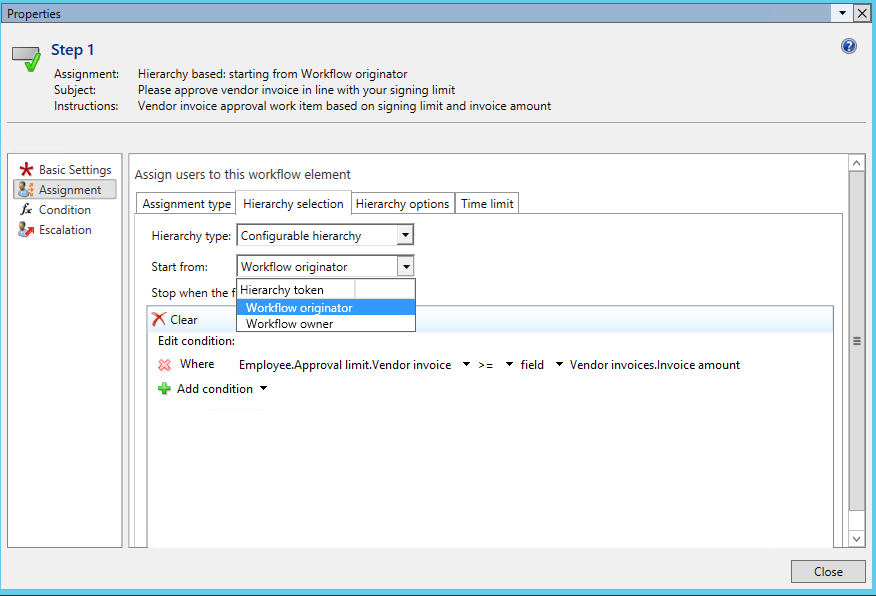
A major issue in regards to the selection of a hierarchical assignment is that the hierarchy can either start from the workflow owner – which refers to a ‘static’ user– or to the workflow originator.
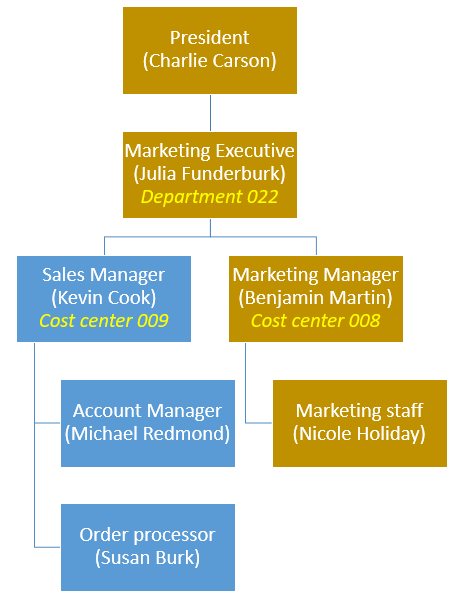
Provided that an accountant – who is not included in the managerial hierarchy of the persons involved in the review and approval process – initiates the workflow, i.e. acts as workflow originator, the line manager of the accountant and not the manager of the orderer would get the approval workflow step assigned. To avoid such wrong assignments, a new position hierarchy (LRE signing) is setup, which starts with the accountant (Phyllis Harris) that records the invoice in Dynamics AX/365 for Operations. The following hierarchical levels are determined by the operative management (Benjamin Martin), the executives (Julia Funderburk) and finally the president of the unit (Charlie Carson). For details, please see the next screen print.

This position hierarchy needs then to be associated with the workflow through the associate hierarchy button shown in the next illustration.
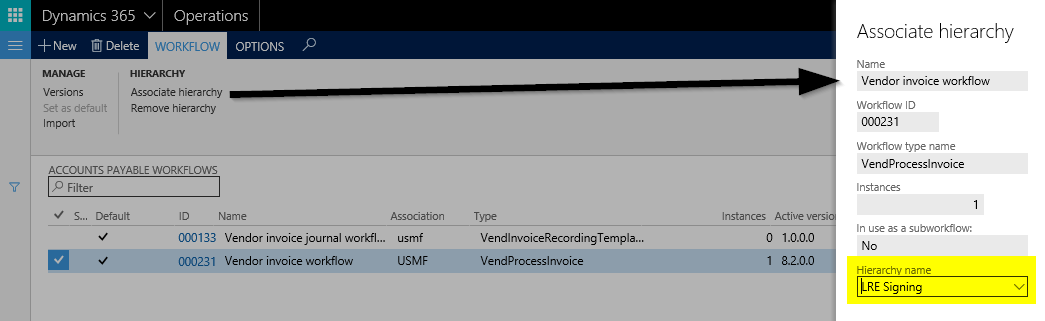
Once this is done, the condition for identifying the correct person to approve the invoice can be specified.

The next setup required consists of specifying the signing rules for the different positions respectively levels. The rules used for the following examples are shown in the next figure.
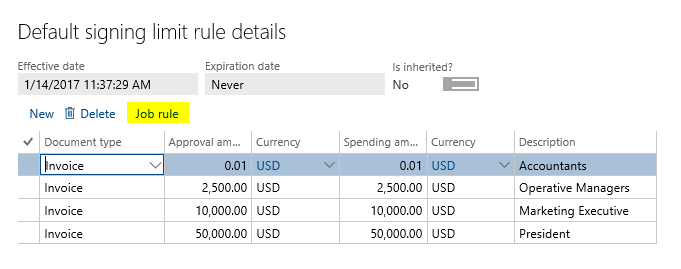
With the modified workflow and the signing limits in place, an invoice for a total of $47500 is recorded in the pending vendor invoice form by Phyllis, the accountant.

To clearly differentiate the workflow from what has been shown in the previous posts, only the orderer (Nicole Holiday) is entered in the financial dimension worker field. A cost center has, however, not been specified.
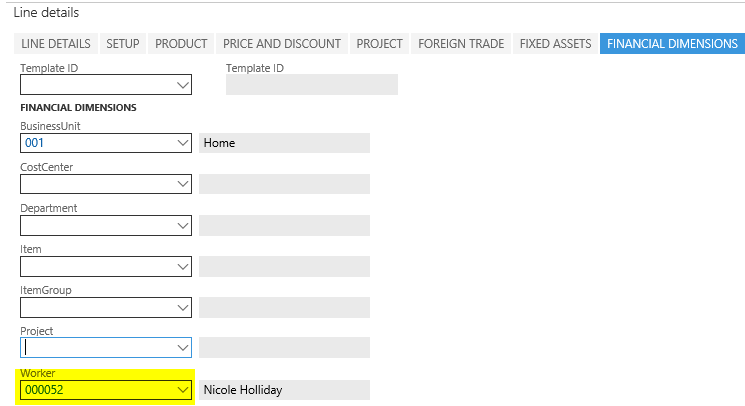
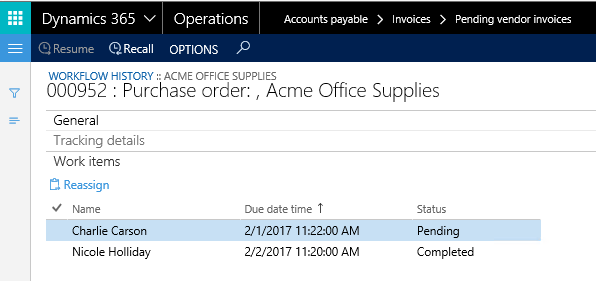
Irrespective of whether and which cost center is entered, Dynamics AX/365 for Operations finds the correct approver by successively working through the signing limits that have been setup. The next screen print shows the users that are addressed by the workflow for the $47500 invoice.

As one can identify from the previous illustration, Nicole Holiday is the first user addressed by the workflow in order to review the vendor invoice.
Thereafter, Benjamin Martin, Julia Funderburk and Charlie Carson need to approve the invoice before it can be posted. Even though Benjamin Martin and Julia Funderburk do not have a sufficiently large signing limit, they still need to approve the invoice because of the workflow setup.
 The successive assignment of the invoice approval can be cut short by defining that only the last user retrieved, that is the one with a sufficiently high signing limit, shall get the task assigned. The next screenshot exemplifies this.

This slight modification in the workflow setup results in a situation where Benjamin Martin and Julia Funderburk are skipped from the approval task for the $47500 invoice, which is directly assigned to the person with the appropriate signing limit (Charlie Carson).
Now let’s modify the example in a way that the materials are ordered by Michael Redmond and need to be approved by his line manger (Kevin Cook).
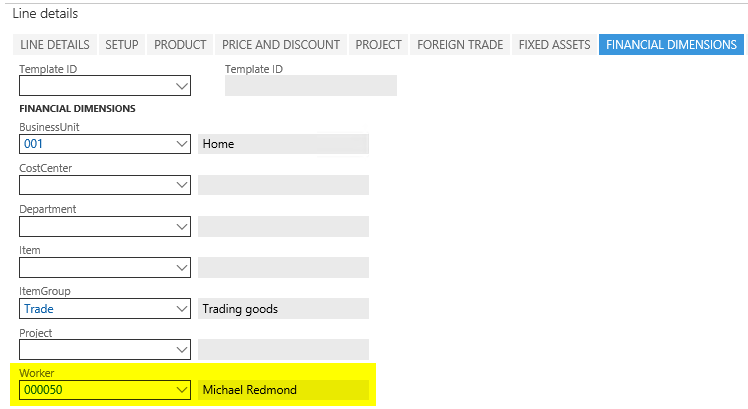
For that reason, another vendor invoice, this time for $2000 is entered in the vendor invoice workbench. Different from what has been shown before, this time, Michael Redmond – the orderer – is entered in the worker financial dimension field.
After Michael Redmond reviewed the invoice, the invoice approval is assigned to Benjamin Martin and not Kevin Cook, which can be identified from the next screen print.

The underlying reason for this outcome is the position hierarchy that has been assigned to the workflow and which does not include Kevin Cook. For details, see further above.
At this point, one might think to simply add Kevin Cook in the signing position hierarchy. The major problem with this approach is that Dynamics AX/365 for Operations currently only allows a single relationship between the different positions included in the hierarchy. In other words, position hierarchies that include more than a single branch, such as for Kevin Cook (the sales manager) and Benjamin Martin, (the marketing manager) that both report to Julia Funderburk, (the marketing executive), require some additional setups, which will be explained in the next post.
 Microsoft BizApps Finance & Controlling