
Within this second part, we will take a deeper look at the first pillar of a classical cost accounting system and investigate how a company’s costs can be classified for cost accounting purposes.
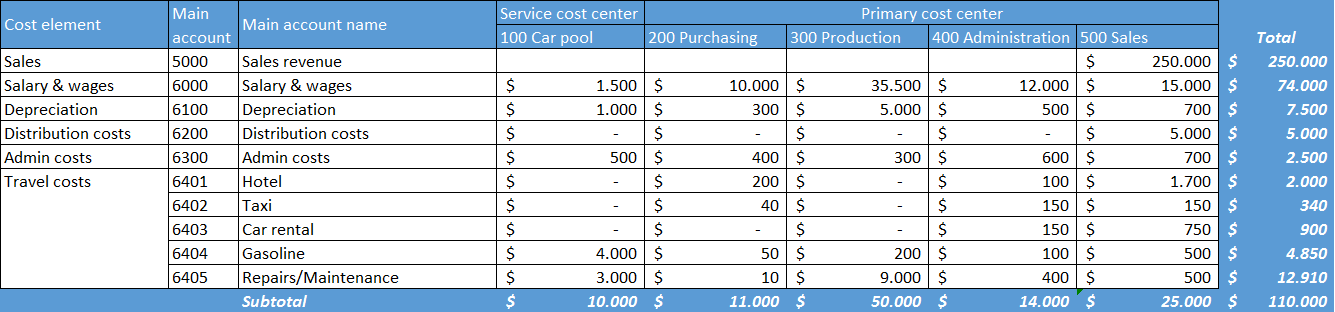
This investigation will be done based on the following sample data that have been recorded through a GL journal with the main accounts and financial cost center dimensions illustrated in the next figure.
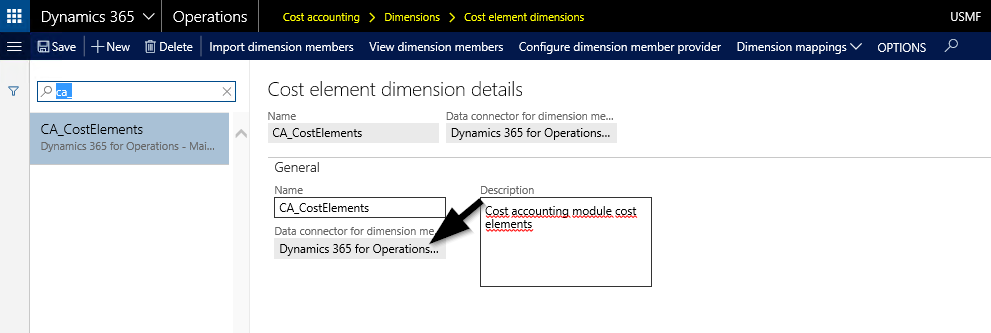
To get those costs classified in the cost accounting module, a cost element dimension (that holds all cost elements required for the subsequent analysis) needs to be setup first.
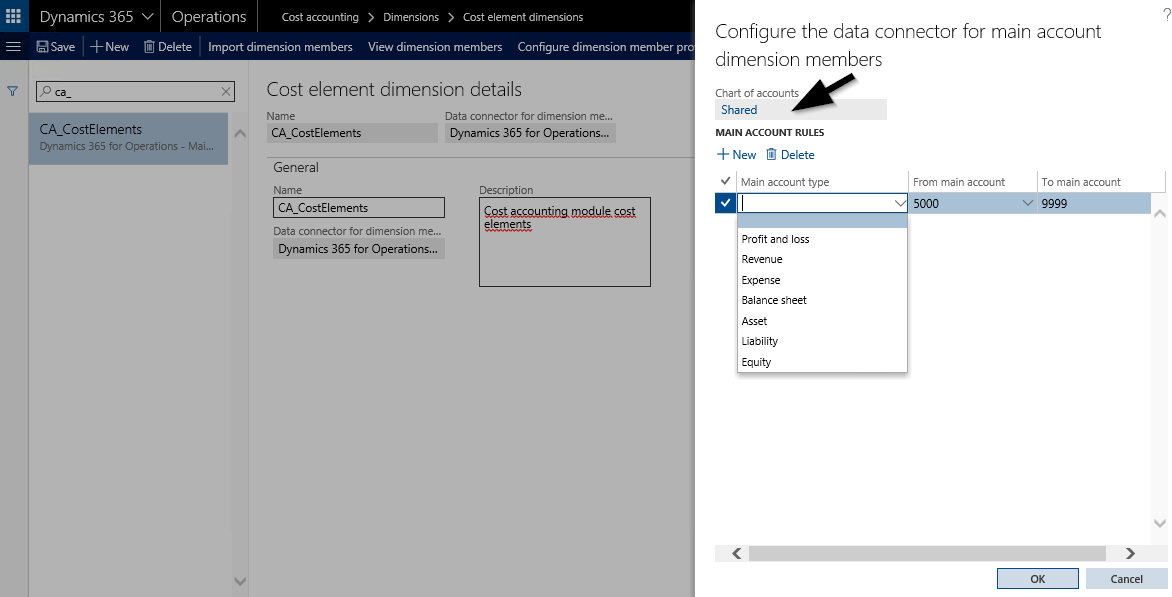
Setting up a cost element dimension necessitates that a linkage to an existing Chart of Accounts (COA) is made. In addition, one has to define the main accounts that need to be imported into the cost accounting module. This definition can either be made by referring to main account types or account ranges, as exemplified in the next screenprint.
Once the cost element dimension is setup and defined, the only thing missing is starting the ‘import dimension members’ job through the respective button. After the import job is finished, the different cost elements that were imported from the general ledger (GL) module are classified as primary cost elements and can be identified in the ‘view dimension members’ form. The next screenprint illustrates this.
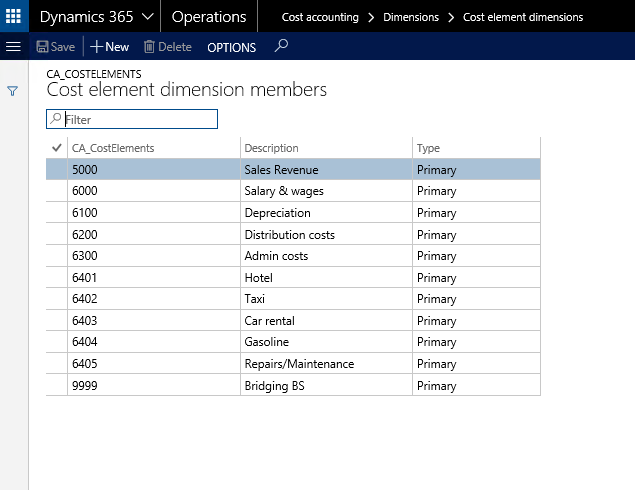
 Balance Sheet (BS) and Income Statement (IS) accounts can be imported into the new cost accounting module. Importing BS accounts was not possible in the ‘old’ cost accounting module without making a system modification.
If one imported too many or wrong main accounts as cost elements, the fastest and easiest way to get this corrected is deleting the cost element dimension because subsequent imports won’t delete elements that have already been imported into the cost accounting module.
After the primary cost elements have been created through an import from GL, secondary cost elements can manually be created in the cost elements member form by selecting the new button. The next screenprint shows an example.
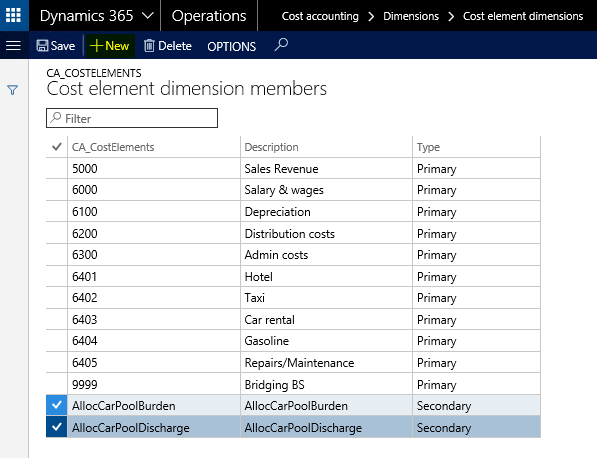
Secondary cost elements are used in the cost accounting module only and are used for cost allocations and overhead calculations. Their usage will be shown in subsequent posts.
An investigation of the screenprint above shows that a 1:1 relationship between the company’s main accounts and the cost accounting elements exists. Sometimes cost accountants do not require this level of detail but would rather summarize different main accounts into a single cost element. Let’s assume that the cost controller is not interested in the details of the travel related expense accounts but wants to summarize all of them – in the example main accounts 6401 to 6405 – into a single cost element denominated ‘travel costs’.
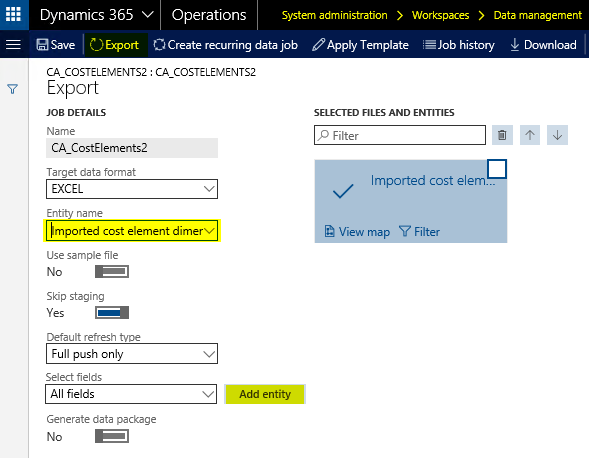
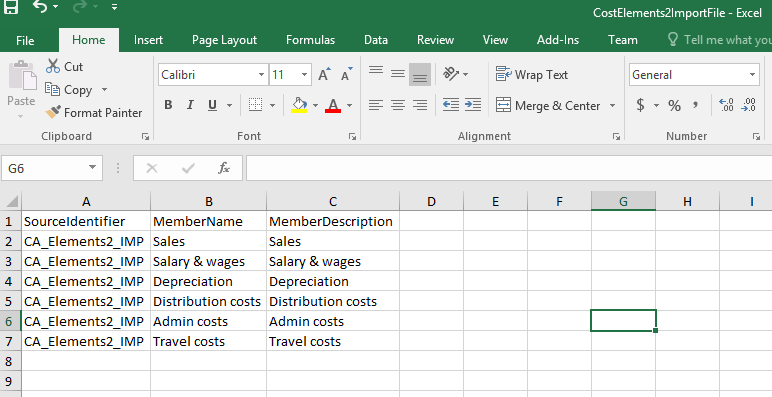
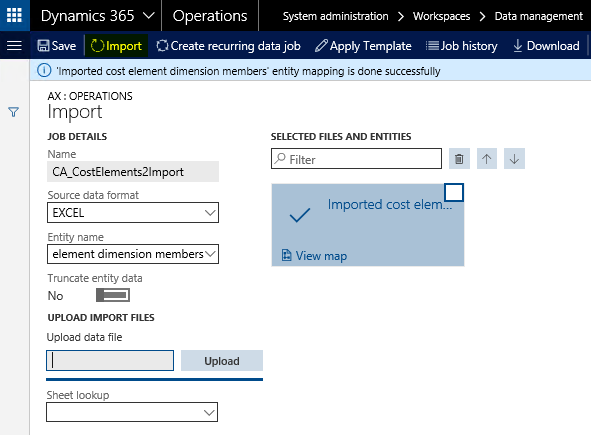
Summarizing different cost element dimensions can be realized by preparing the required cost elements in Excel, uploading and mapping them. The next screenprints demonstrate how such an import works.
Step 1: Export the ‘imported cost element dimension’ data entity through the data management
Step 2: Prepare the cost elements in the exported Excel template
Step 3: Upload the cost elements through the data management import form
Step 4: Create a new cost element dimension and select the ‚imported dimension members’ data connector
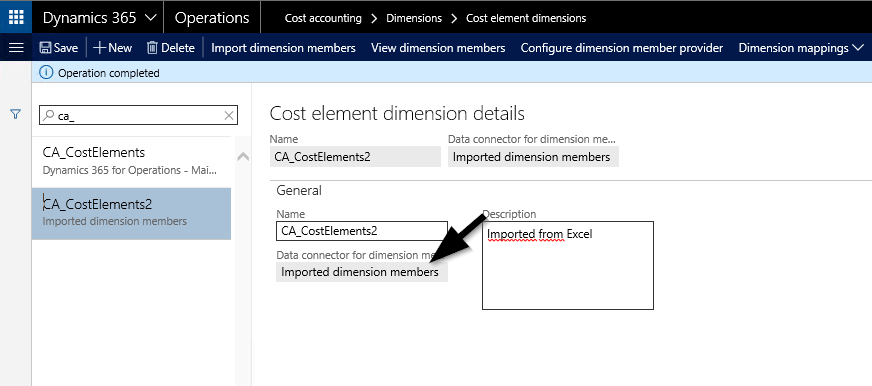
Step 5: Configure the dimension member provider
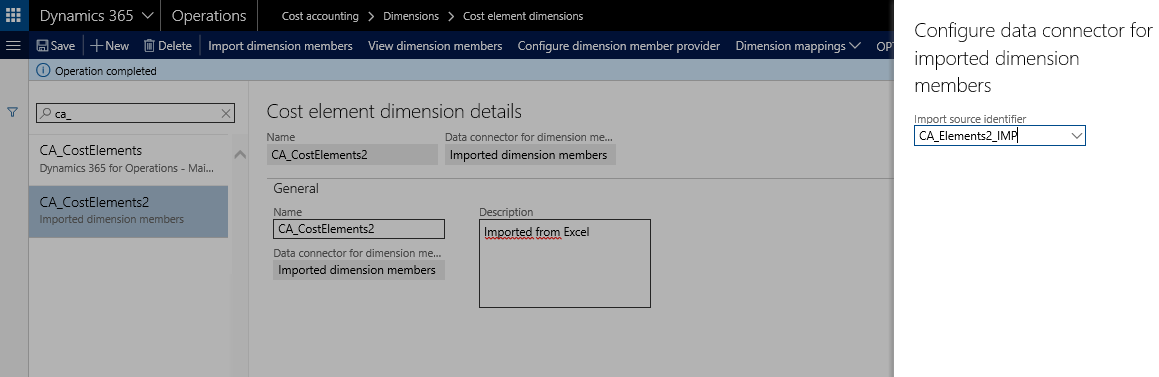
The data connector is the source identifier that has been specified in the Excel template. For details, please see step 2 further above.
Step 6: Select ‘import dimension members’
The outcome of this import can be controlled through the ‘view dimension members’ form and is illustrated in the next screenprint.
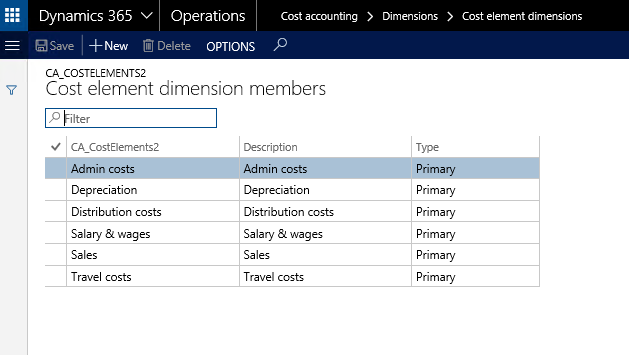
Step 7: Map cost elements
The last step required consists of mapping the imported cost elements with the GL main accounts that have previously been imported into a different cost element dimension. The next screenprint shows how the different cost elements/main accounts are mapped for the travel cost accounts.
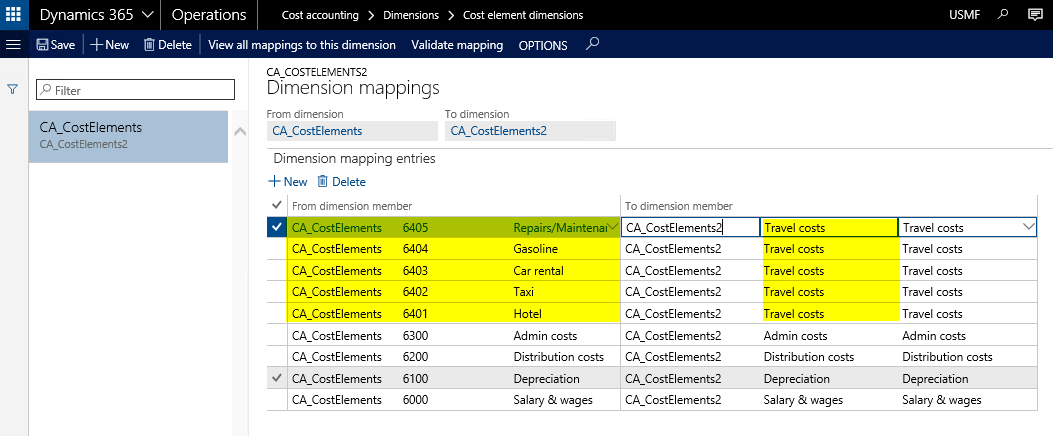
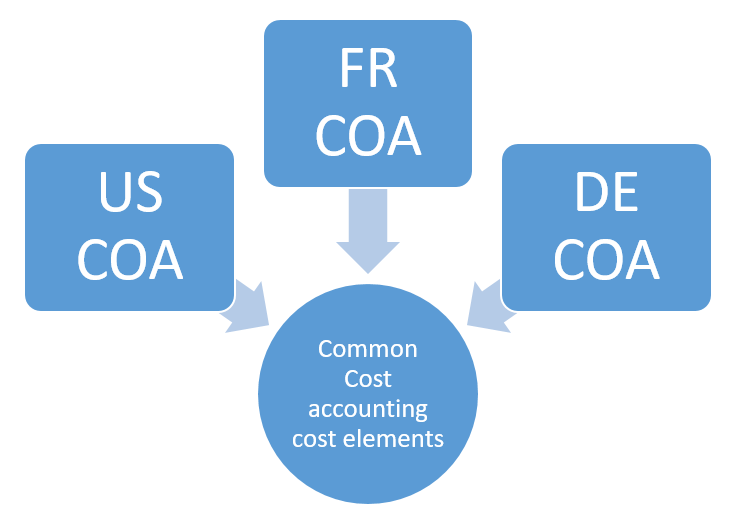
The ability to map cost elements from different cost element dimensions allows incorporating cross-company accounting scenarios in the cost accounting module; something that has not been possible in the ‘old’ cost accounting module. The next illustration shows a scenario where business data from three different companies (US, FR & DE) that all use their own COA can be analyzed together through the definition and mapping of cost accounting elements.
 Microsoft BizApps Finance & Controlling